
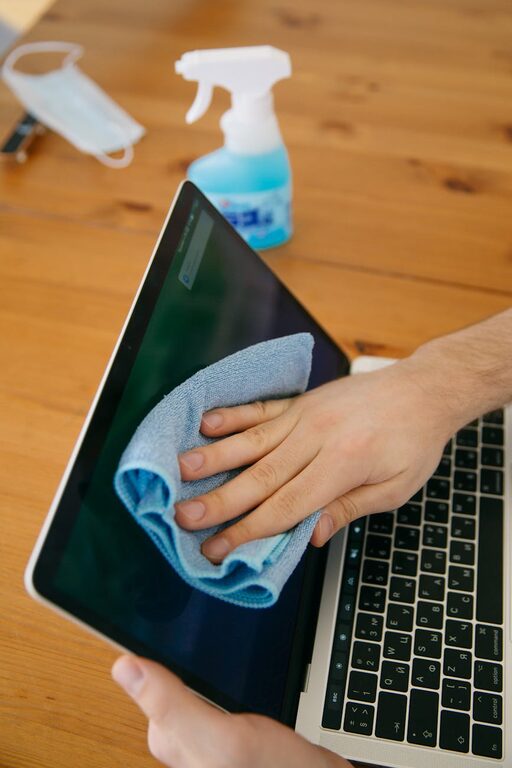
Keeping your phone and keyboard clean is important—not only for hygiene but also for the longevity and performance of your devices. These gadgets are some of the most frequently touched items, making them hotspots for dirt, oils, and germs. However, cleaning them requires careful attention to avoid damage. In this post, we’ll guide you through safe and effective methods to clean your phone and keyboard.
Why Cleaning Your Devices Matters
Devices like phones and keyboards accumulate oils from your skin, dust, food particles, and germs throughout everyday use. Regular cleaning helps:
– Prevent buildup that can affect device performance.
– Reduce the spread of bacteria and viruses.
– Maintain your devices’ appearance and extend their lifespan.
What You’ll Need
Before you start, gather the following supplies:
– Soft microfiber cloths
– Cotton swabs (Q-tips)
– Isopropyl alcohol (70% or less)
– Distilled water
– Compressed air canister
– Mild dish soap (optional)
– Small soft brush (optional)
Avoid harsh chemicals, bleach, or abrasive materials that could damage device surfaces or screens.
—
How to Clean Your Phone Safely
Step 1: Power Off Your Phone
Turn off your phone and disconnect it from any charging cables or accessories. This reduces the risk of damage or accidental inputs.
Step 2: Remove the Case and Accessories
Take off any phone case, screen protectors, or attached accessories. These items can also be cleaned separately.
Step 3: Wipe Down the Exterior
– Dampen a microfiber cloth with a mixture of 50% distilled water and 50% isopropyl alcohol.
– Gently wipe all phone surfaces, avoiding excess moisture around ports, speakers, and buttons.
– For stubborn spots, lightly rub with a cotton swab dipped in the solution.
Step 4: Clean the Screen
– Use a dry microfiber cloth to wipe the screen.
– If needed, lightly dampen the cloth with water or the diluted alcohol solution, then wipe.
– Avoid applying liquids directly on the screen.
Step 5: Disinfect with Care
Isopropyl alcohol 70% or less is recommended for disinfecting while preserving screen coatings. Do not use wipes containing bleach, hydrogen peroxide, or ammonia-based cleaners.
—
How to Clean Your Keyboard Safely
Step 1: Turn Off and Unplug Your Keyboard
Power down and unplug wired keyboards. For wireless keyboards, remove batteries if possible.
Step 2: Shake and Blow Out Debris
– Turn the keyboard upside down and gently shake it to dislodge loose debris.
– Use compressed air to blow out dust and particles from between keys.
Step 3: Wipe the Keys and Surface
– Dampen a microfiber cloth with the alcohol and water solution mentioned above.
– Wipe the tops of the keys and surrounding areas carefully.
– For buildup between keys, use a cotton swab or a small soft brush lightly moistened with the solution.
Step 4: Detailed Cleaning (Optional)
– If your keyboard has removable keys, you can carefully remove them for deep cleaning.
– Soak the keys in warm soapy water, dry thoroughly before reattaching.
—
Additional Tips and Precautions
– Avoid excess liquid: Too much moisture can damage electronic components.
– Use gentle pressure: Pressing too hard can harm screens or key mechanisms.
– Frequency: Clean phones weekly and keyboards monthly, or more often if heavily used.
– Protect your devices: Using cases and keyboard covers can make cleaning easier.
– Wash your hands regularly: Good hand hygiene helps keep devices cleaner.
—
Conclusion
Regularly cleaning your phone and keyboard is a simple habit that promotes hygiene and device care. By following these safe and effective steps, you can keep your gadgets looking pristine and functioning well without risking damage. Remember to use gentle cleaning agents, avoid moisture buildup, and handle your devices with care.
With these tips, you’ll enjoy a cleaner, healthier workspace and longer-lasting technology!